Order Number: 6121
Product Name: Betafpv Air Brushless Flight Controller 5in1
Brand: BetaFPV
I have attempted to change the ESC firmware on my BetaFPV air G4 5in1 FC using esc configurator.
During the upgrade process, the FC went into a ‘hung’ state and after leaving for a period of time, had to be rebooted.
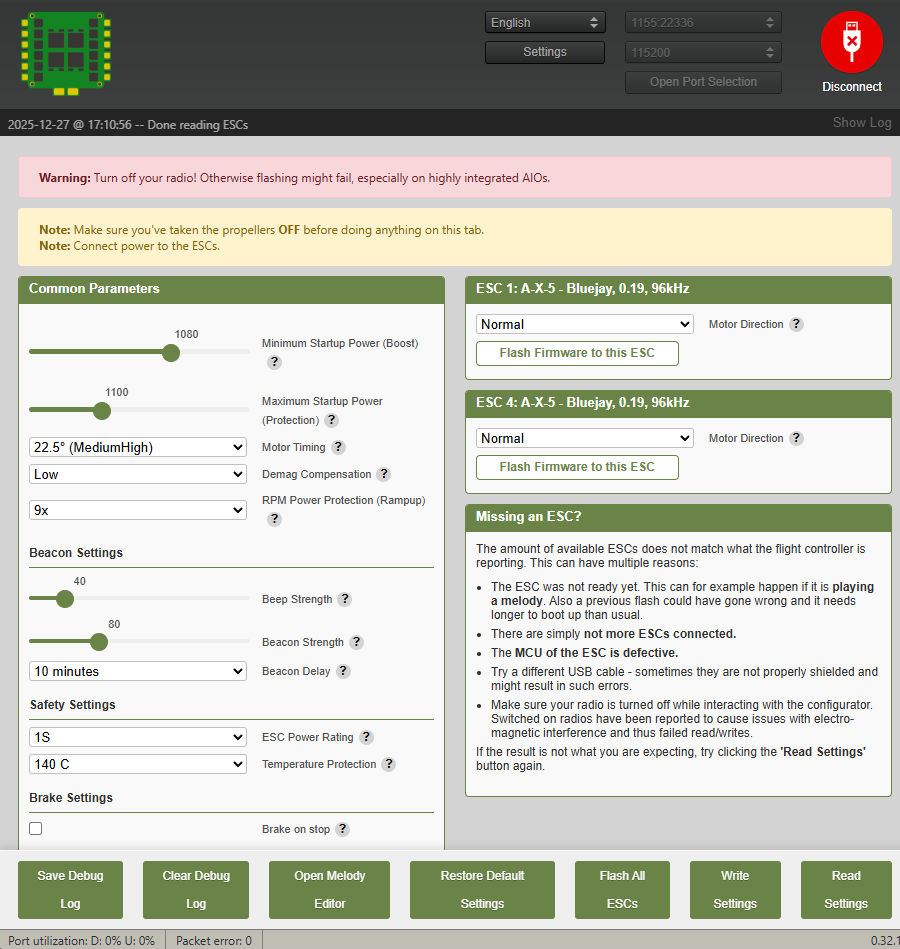
When I load ESC configurator I can now only see ESC#1 and ESC#4.
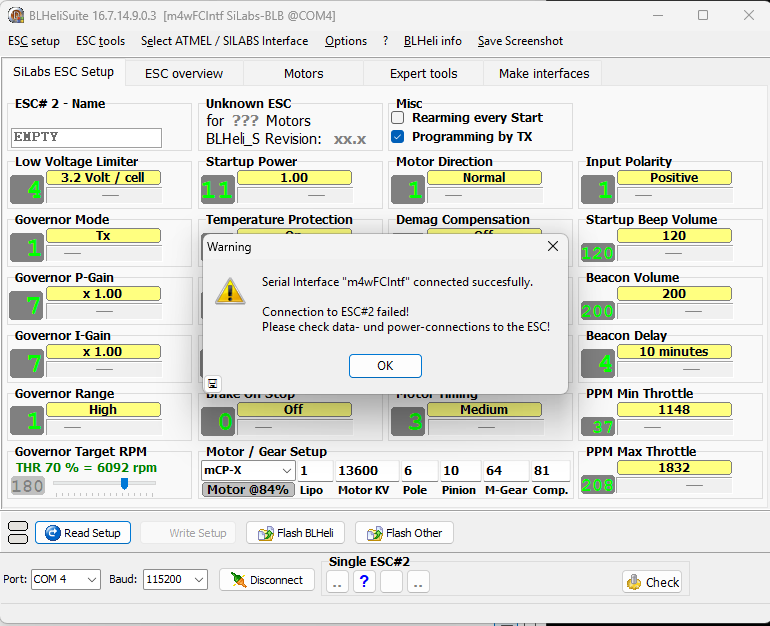
I have taken several steps to attempt to resolve this - firstly I have reloaded the Betaflight default firmware from website, secondly I have used BLHelisuite to try to see the missing ESC. I have had no success. The unit has not been flown, but has had camera and motors soldered on to it. I have also tries to use several methods order when re-plugging power and USB plugs while attempting to see the missing ESC in esc configurator.
@UMT_Support can you please remove the picture with private information from this post, thanks!
Hi Kailpot,
Thanks for the detailed info and images on your BetaFPV Air Brushless Flight Controller 5IN1 (Order #6121) - we’ve reviewed everything, including the ESC Configurator screenshot showing only ESC #1 and #4, Betaflight motors tab, and video.
This is a common issue after an interrupted ESC firmware update on Bluejay ESCs (BB51 hardware). The FC likely entered a hung state, partially bricking ESCs #2/3. Good news: it’s often recoverable without flying or major damage.
- Safety Note: Always props off, non-conductive surface. Use a fresh 1S LiPo (~4.2V).
Step-by-Step Troubleshooting:
- Reflash FC Properly:
BF Configurator 10.10+, target BETAFPVG473 (Betaflight 4.5.0).
Full chip erase > Flash > CLI:get motor_protocol(DSHOT600),resource MOTOR 1 A00etc. >save. - Test Motors in BF:
USB + 1S LiPo. Motors tab: slide throttles 10-20%. All should spin/beep. - ESC Configurator (preview.esc-configurator.com):
1S connected. Read all ESCs (wait 10s each). Flash A_X_5_96KHz_V0.19.hex slowly (5-10s intervals). No BLHeliSuite. - Hardware Check (Multimeter):
Power off. No continuity between motor pads/GND. ~4V VBAT to each motor pad. - Visual/Solder: Magnify photos - reflow if bridges (<370°C).
- Double check connections between fc and esc, check for bent pins, or damaged wires. If you know motor output 1 works, try connect that to another output on your fc ti try isolate the source of the fault.
If motors don’t spin after this, unsolder motors to test bare FC.
Warranty/Returns: Unfortunately, as motors/camera are soldered and firmware was updated, our policy requires items unused/new for returns. This voids standard warranty - but try the steps first!
Reply with: CLI diff all, exact versions used, motor test video, soldering close-ups/multimeter results. We’ll guide further or advise on parts/RMA to BetaFPV.
Product page: Here | BetaFPV Manual: Here
Cheers,
Unmanned Tech UK Team 
Hope all is well on your side, I forgot to mention he image was already removed 2 days ago. When you get a moment let me know about my colleagues reply and we can help further! Happy new years otherwise!
Hi,
I have found some time to carry out your instructions and provide the requested information 
-
Reflash FC Properly:
BF Configurator 10.10+, target BETAFPVG473 (Betaflight 4.5.0).
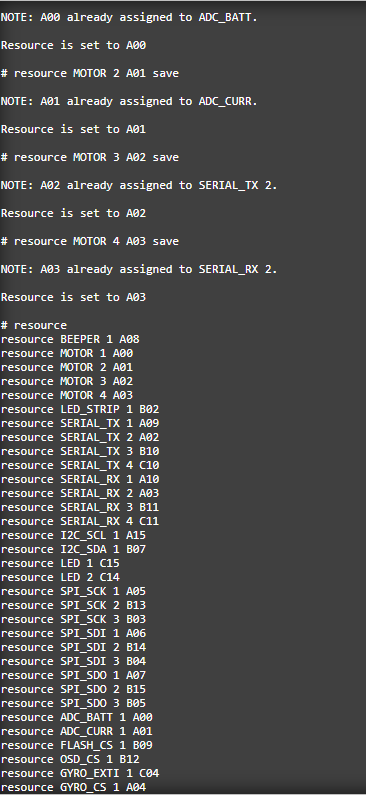
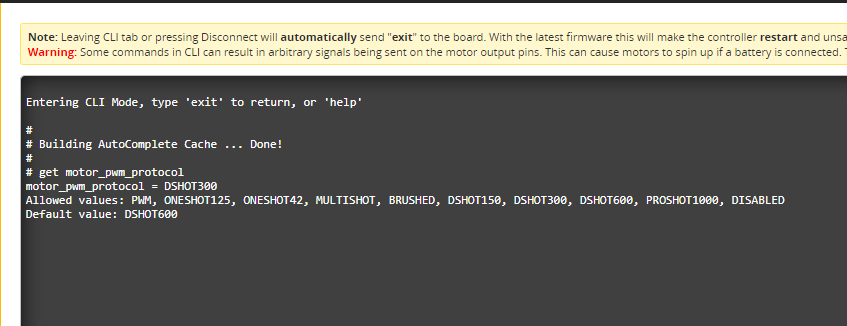
Full chip erase > Flash > CLI:get motor_protocol(DSHOT600),resource MOTOR 1 A00etc. >save. -
Test Motors in BF:
USB + 1S LiPo. Motors tab: slide throttles 10-20%. All should spin/beep.
Betaflight motor testAs you can see from the above video, the FC has been re-flashed as requested. Despite multiple re-powers, motors 2 & 3 are not recognised and do not draw current or spin when activated. The other Motors spin fine and draw current.
-
ESC Configurator (preview.esc-configurator.com):
1S connected. Read all ESCs (wait 10s each). Flash A_X_5_96KHz_V0.19.hex slowly (5-10s intervals). No BLHeliSuite.The link again shows both ESC#2 and ESC#3 not being read. ESC#1 & ESC#4 have be updated to Bluejay 96kHz using the ‘Flash all ESC’ option, but #2 and #3 still missing after reboot.
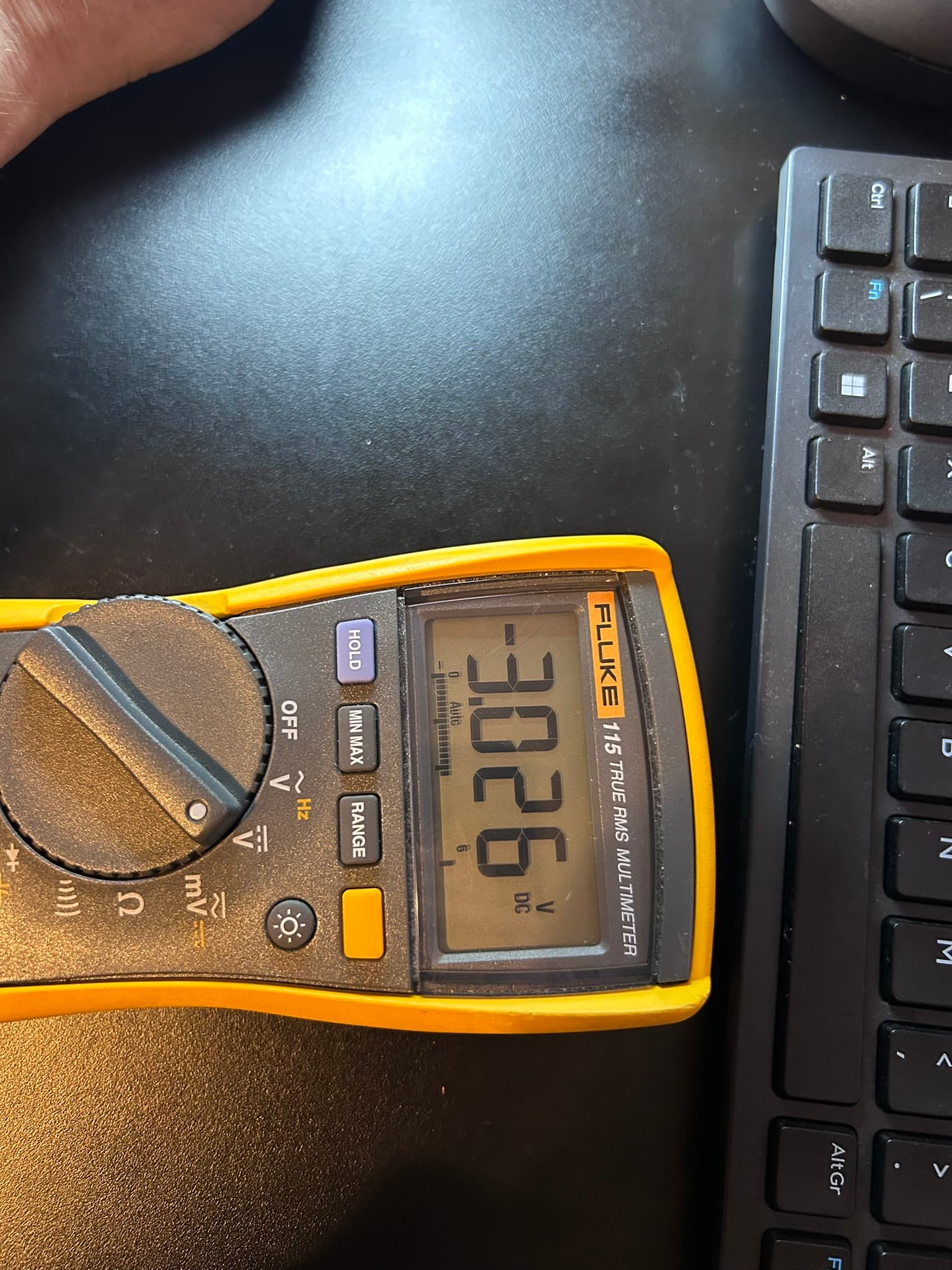
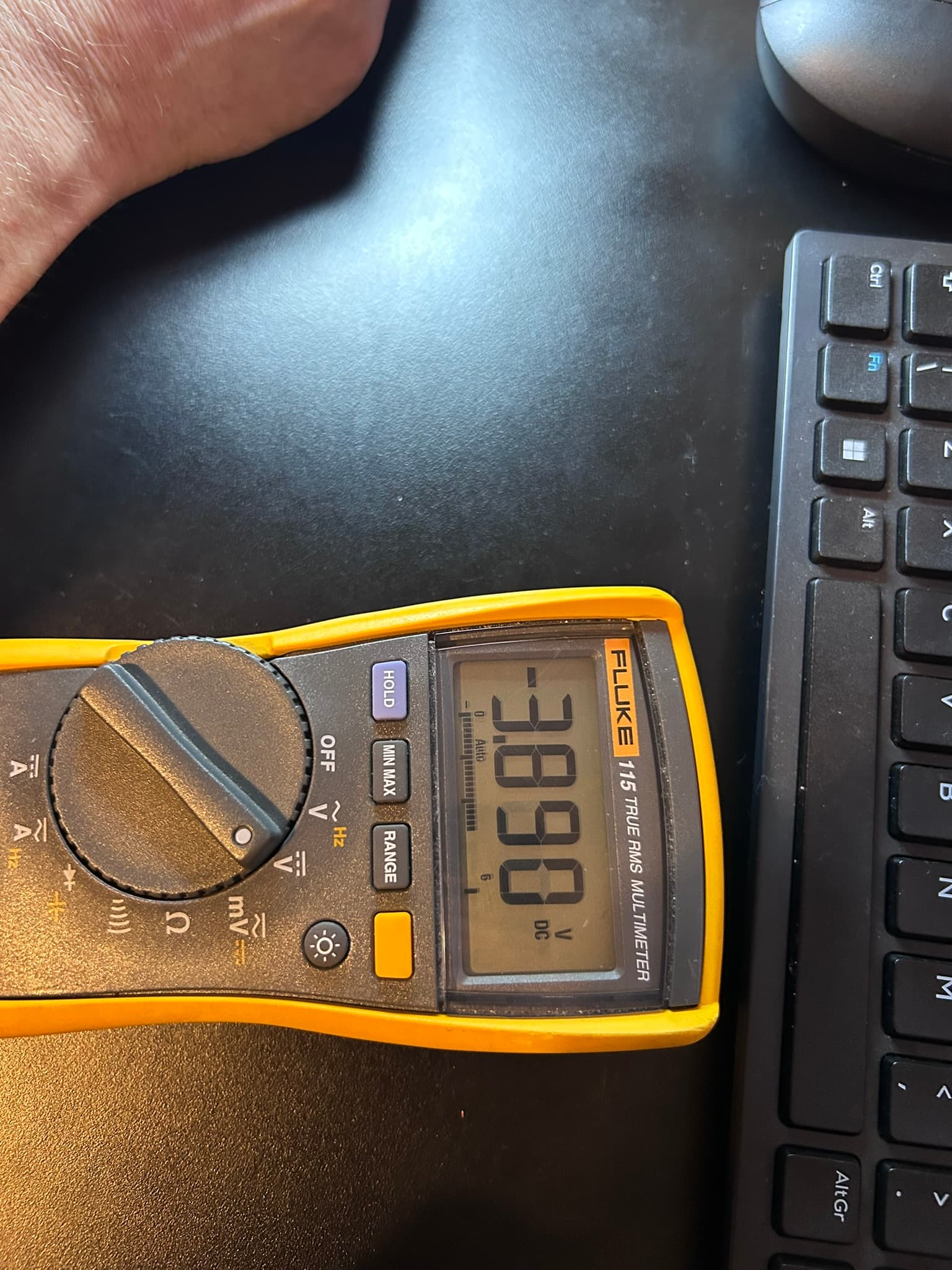
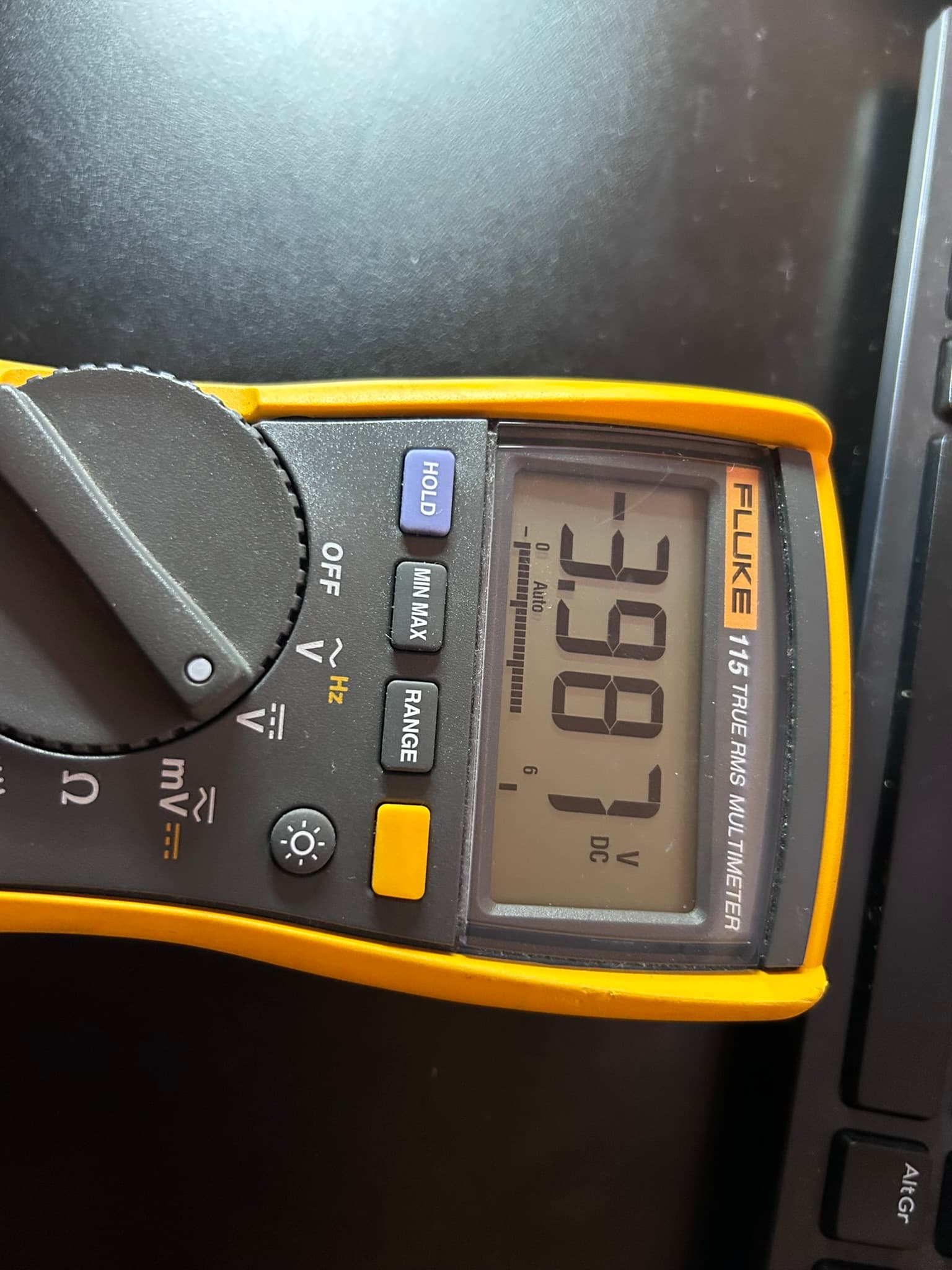
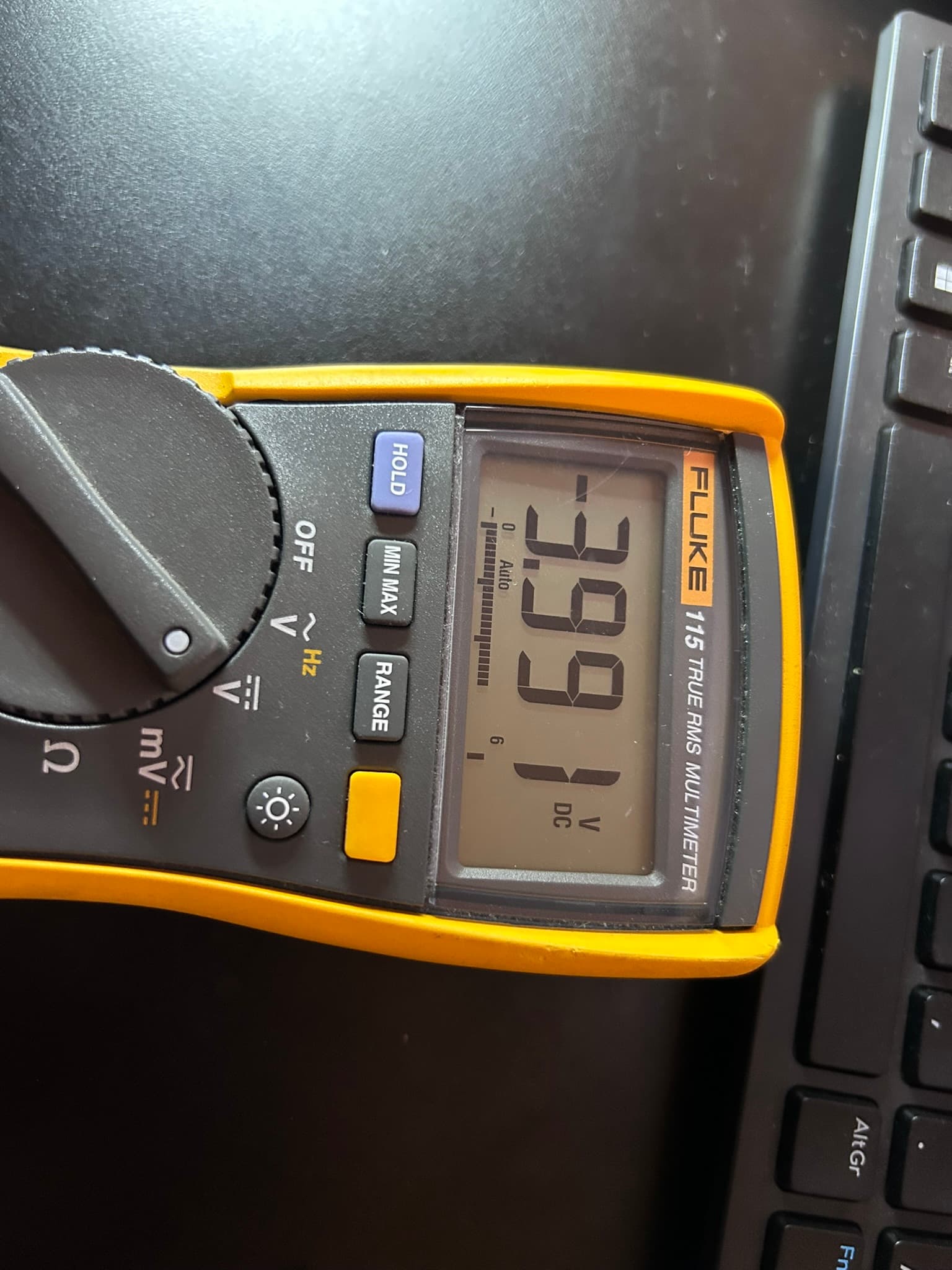
-
Visual/Solder: Magnify photos - reflow if bridges (<370°C).
Solder is good (IMHO!) -
Double check connections between fc and esc, check for bent pins, or damaged wires. If you know motor output 1 works, try connect that to another output on your fc t0 try isolate the source of the fault.
Checked connection which all look good - the FC hasn’t left the bench to incur any damage.
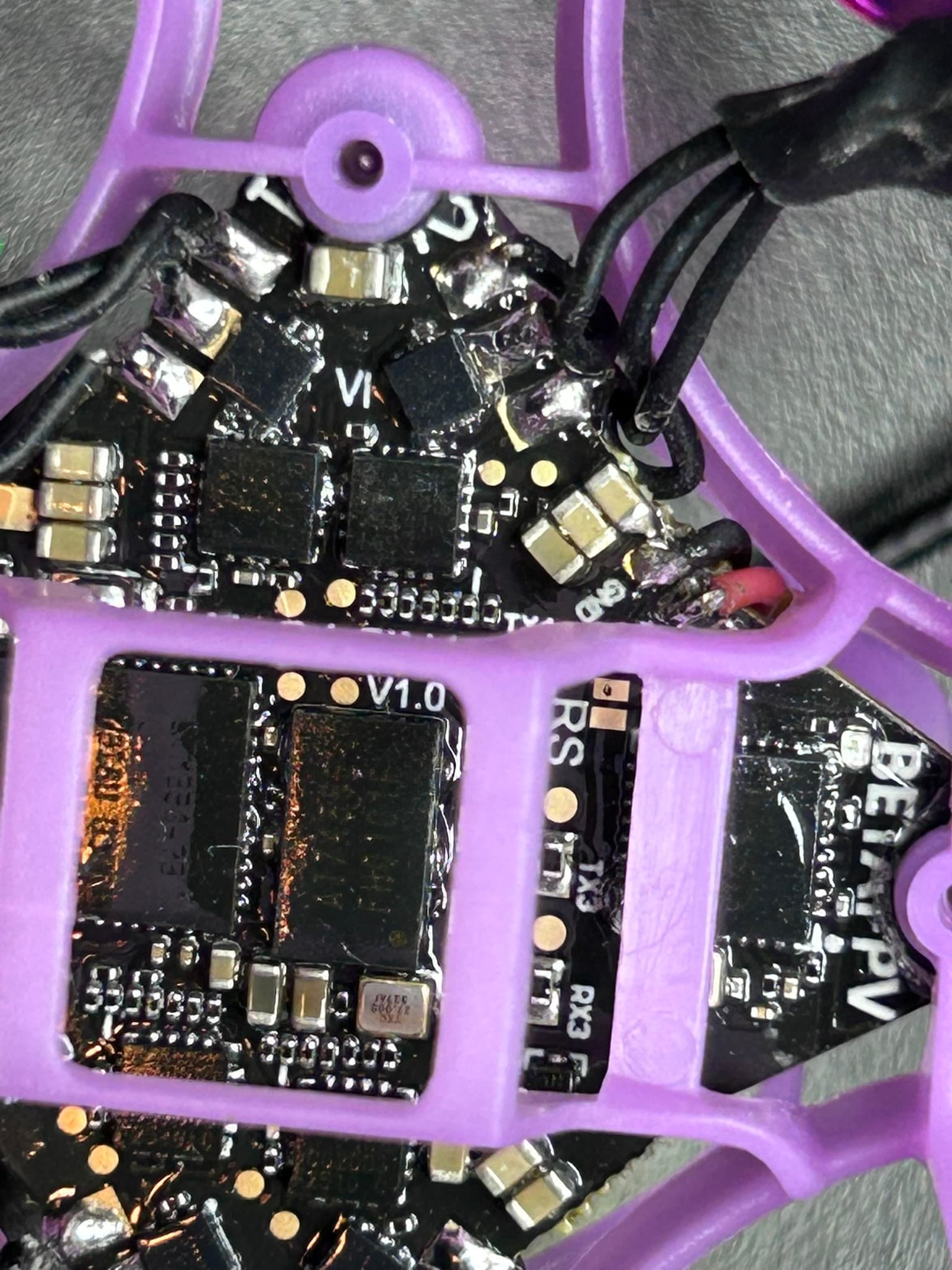
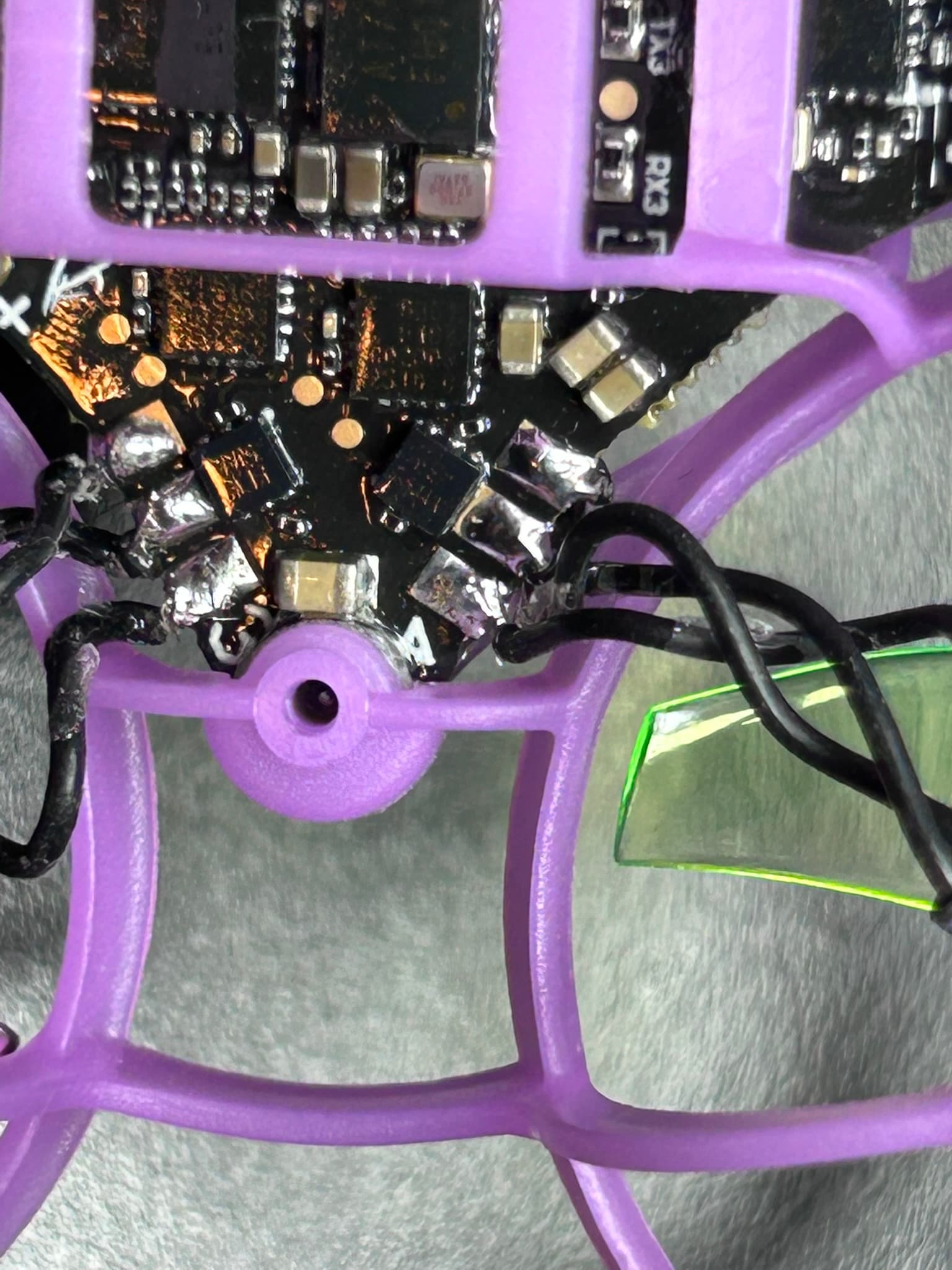
Had to break my reply into several posts as the system didn’t like the ‘New User’ posting multiple links/pics.
Please let me know if you would like any further tests. I believe there is a robust case for replacement under warranty as the ESC should be able to be recovered from an interrupted upgrade - especially as the FW upgrade interruption was not caused by spurious radio noise from transmitter, or low battery - it just hung when changing PWM settings. Thanks, M
Hi M,
Thank you for the detailed information and the tests you’ve carried out. We really appreciate the time and effort you’ve put into documenting this.
We’ll forward your message and findings to the supplier so they can review the situation. Once we receive their feedback or any next steps regarding a potential warranty replacement, we’ll get in touch with you immediately.
Thanks again for your patience while we work on this.
Best regards,
Diane
Unmanned Tech Support