Order Number: 4867
Product Name: Happymodel X14 Elrs - 1h70051
Brand: HappyModel
AIO does not bind to my Radiomaster Pocket radio
I have tried “manually” enabling bind mode by plugging in power 3x, “bind receiver” in Betaflight → receiver tab, bind_rx in CLI, using the same binding phrase, reflashing with ELRS configurator to various versions (3.6.2, 3.5.4, 3.4.2) and reflashing betaflight entirely.
My radio is on ELRS v3.4.2 and binds fine with all of my other drones.
Hi Alex,
Thanks for sending the video, that was really helpful.
We’ve reviewed it carefully and it does look like the X14 isn’t entering ELRS bind mode during the 3× power-cycle. On this model the ELRS receiver is built directly into the flight controller, so binding happens at firmware level (below Betaflight), which means this behaviour isn’t caused by stick settings or the Receiver tab.
The good news is that, since you’re able to access the ELRS WiFi configuration page, the receiver itself is clearly powering up and running firmware. That makes a total hardware failure very unlikely. In most cases like this, the cause is a firmware, bind phrase, or profile mismatch, or the receiver is already bound but not reporting through Betaflight.
To confirm exactly which it is, could you please do the two checks below and send us screenshots?
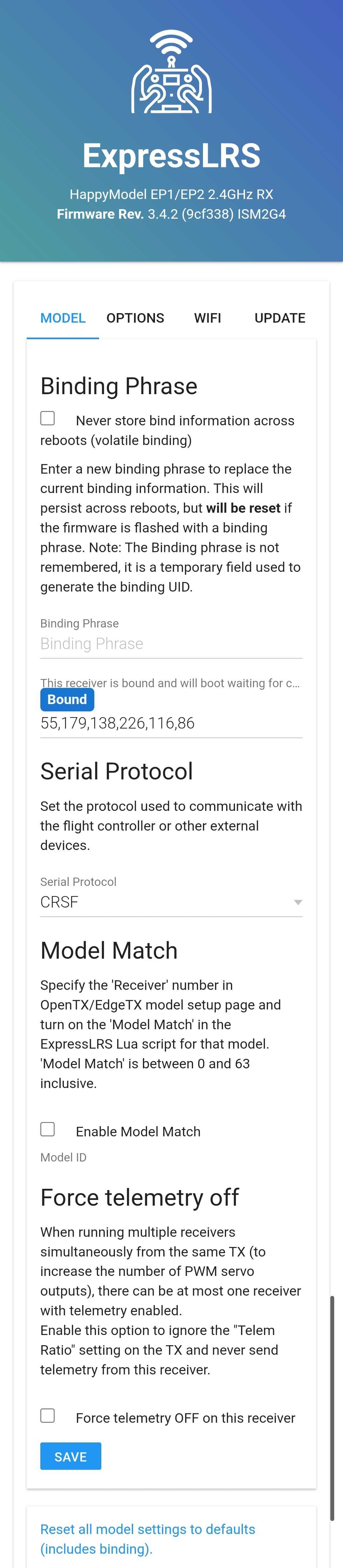
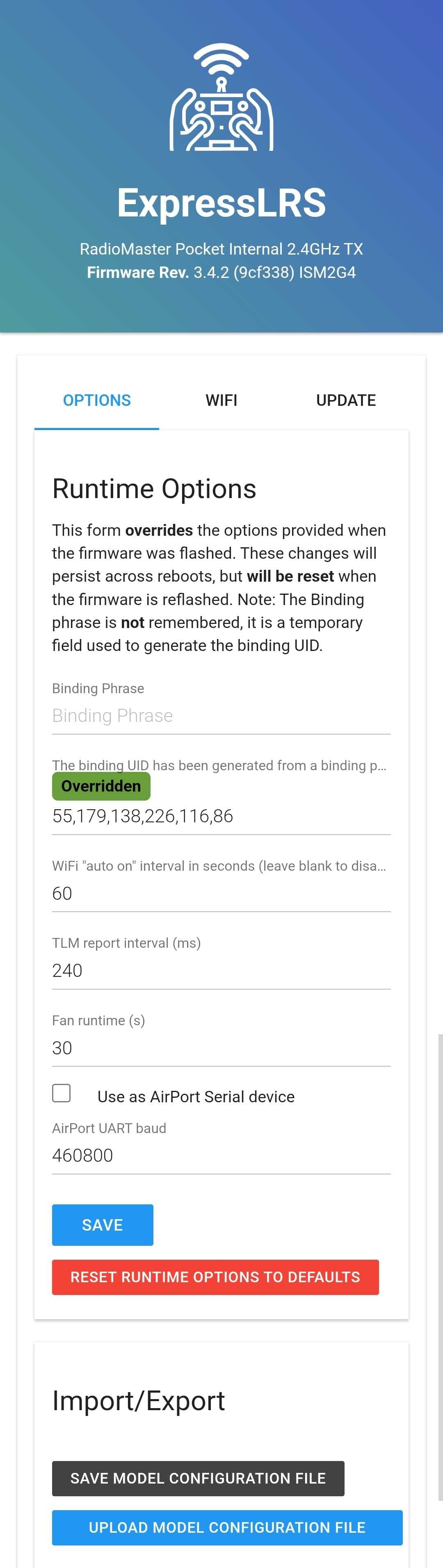
1) ELRS RX WiFi page- Power the X14 and connect to the “ExpressLRS RX” WiFi network
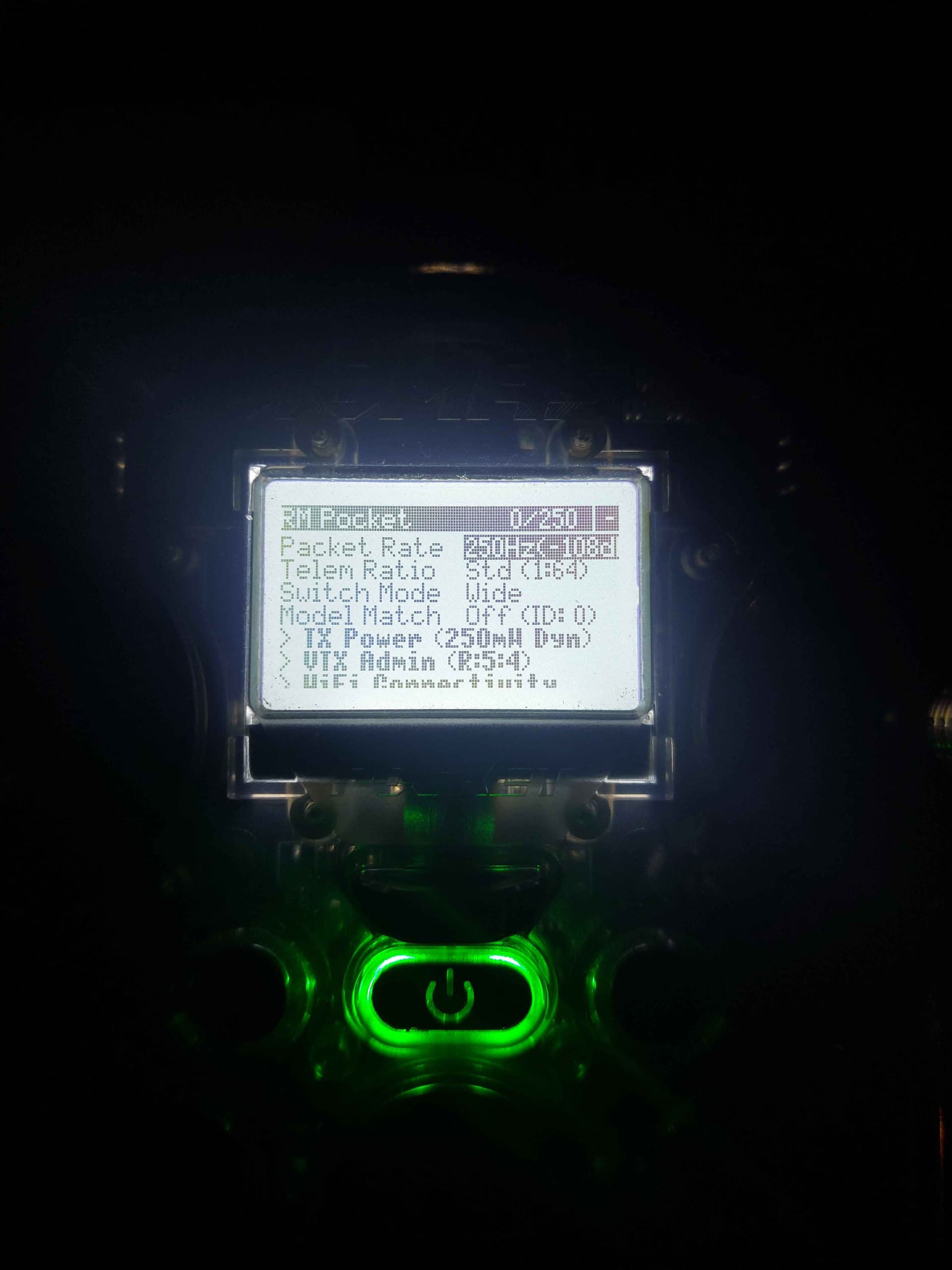
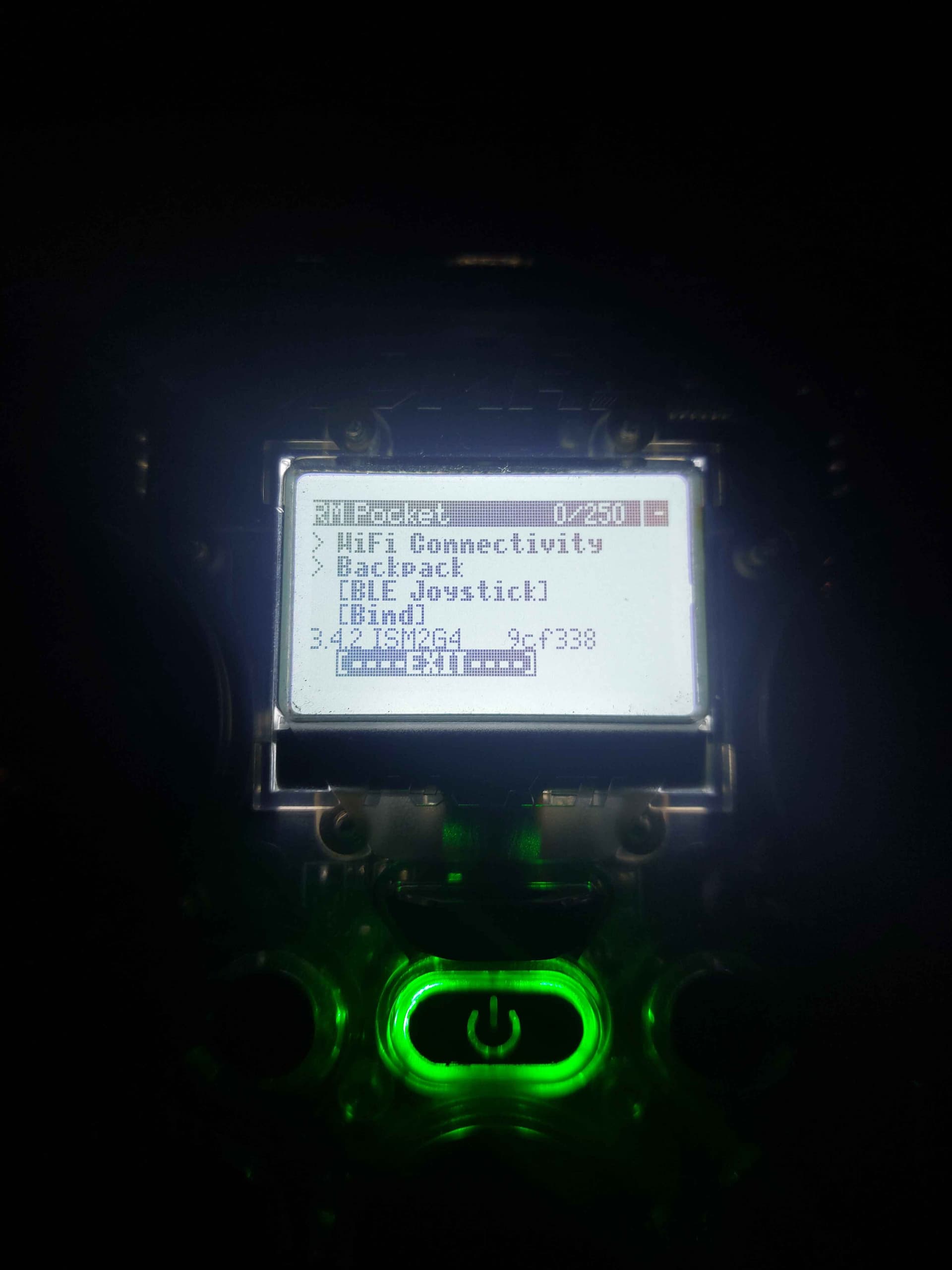
2) Radiomaster Pocket – ELRS LUA page- Open the ELRS LUA script on your Pocket
Binding issues are usually just a config issue and very rarely is it a hardware fault, especially given that the rest of the unit seems to be working correctly, please let me know your outcome:
-
A simple configuration or firmware mismatch, or
-
A rare RF-side fault on the onboard receiver, in which case we’ll progress this under warranty without any unnecessary back-and-forth. But we will need you to send us screenshots of the config settings, and firmware versions in betaflight and on your radio so we can show this to Happymodel to authorise the replacement.
Thanks again for your patience, we’ll get this resolved and you flying as quickly as possible.
Kind regards,
Unmanned Tech UK Support
Thanks for replying quickly, I’ve got the screenshots/photos below:
1)
2)
Let me know if you need anything else
Thanks,
Alex
Based on what you’ve shared, the receiver is already bound at the RF level (the ELRS Web UI shows it as Bound) — so the physical RF pairing is working correctly.
The key thing now is that binding success doesn’t automatically mean Betaflight is receiving control packets it only confirms the link between TX and RX. For a UART ELRS receiver like the one built into the X14, once it’s bound the next step is to make sure the flight controller is configured to pass CRSF over the correct UART so Betaflight can actually see the stick and telemetry data.
Here’s the checklist you should work through:
- Serial port configuration in Betaflight
- Go to the Ports tab and set the UART to the correct port (should be UART3 on HM X14 FC)
- Enable Serial RX on that UART
- Save and reboot
- Receiver protocol
- In Configuration → Receiver, set:
- Receiver Mode: Serial-based receiver
- Provider: CRSF (Important to note if you have updated the firmware yourself, double check you loaded the correct protocol in the firmware build settings!)
- Save and reboot
- Model Match and ELRS LUA
- On the Radiomaster Pocket, make sure Model Match is disabled in the ELRS LUA for this model profile, or — if you are using Model Match — that the Model ID matches what’s set on the RX (the stock HappyModel units often work best with Model Match OFF).
- LED behaviour
- Once the RX sees CRSF from the FC correctly, the LED behaviour will change (solid link + activity when the sticks are moved).
- If the LED stays “bound but idle”, that’s almost always a CRSF passthrough issue rather than a binding issue.
If after those steps things still look dead on Betaflight but RF binding is confirmed, you can try a quick reset of the receiver’s settings via the Web UI (“Reset all model settings to defaults (includes binding)”) and then rebinding using the Radiomaster’s ELRS LUA that sometimes resolves hidden configuration mismatches. But when doing this, check the LED to confirm the RX is actually in bind mode (double LED blink as shown below)

As it will not bind until its in this mode, and in our initial video this was not the case. More info here - 4 Fast Ways to Bind ExpressLRS Receivers — BetaFlight, Phrase, Button & Power‑Cycle
I’ve went through and checked all of the following:
- Serial RX is enabled for UART 3 in Betaflight
- Receiver is set to “serial-based” and CRSF, which I have double checked and was definitely loaded in the firmware build settings
- Model Match is disabled on the Radio
I then went ahead and reset model settings within the receiver’s Web UI, but this made no difference after putting the board in bind mode and using the radio’s LUA script - the LED keeps double blinking endlessly even after the “binding” popup disappears on the radio.
Is there anything I could try next?
Hi Alex,
Apologies for the delay in getting back to you.
We’ve now raised this with the supplier to get further insight into the issue you’re experiencing with the ELRS receiver and Betaflight communication. Once we hear back from them with additional guidance or next steps, we’ll be in touch straight away.
Thanks very much for your patience — we appreciate the detailed troubleshooting you’ve already carried out, as it really helps move things along.
Best regards,
Diane
Unmanned Tech Support
How would you rate our customer service?
Hi Alex,
Thanks for your patience while we checked this with the supplier.
We’ve now heard back from them, and they’ve confirmed a step that should help resolve the issue you’re seeing. Please try the following on your radio transmitter:
-
Open ExpressLRS.lua from your radio’s menu
-
Change Model Match from “Off” to “On”
-
Then change Model Match back from “On” to “Off”
After doing this, the supplier has advised that the RX input should appear correctly in Betaflight.
Please give this a try and let us know how you get on. If the issue persists, we’ll be happy to continue investigating with you.
Best regards,
Diane
Unmanned Tech Support
How would you rate our customer service?
Hello,
I have given it a go, both with the AIO on and off, and the issues still persists in the exact same way as before (as far as I can tell). I also re-enabled identical binding phrases on both devices and also tried to use the binding button in Betaflight, making sure to do the Model Match switching each time.
However, I didn’t have any success. What are the next steps I could try?
Thanks for the help,
Alex
HI Alex,
We just got a response from the supplier. Please see below:
"Pls ask the client take a video to show how to bind the radio and plug usb for the fc, then connect to betaflight configurator, let us check the port tab , receiver tab setting, we need this whole process video.
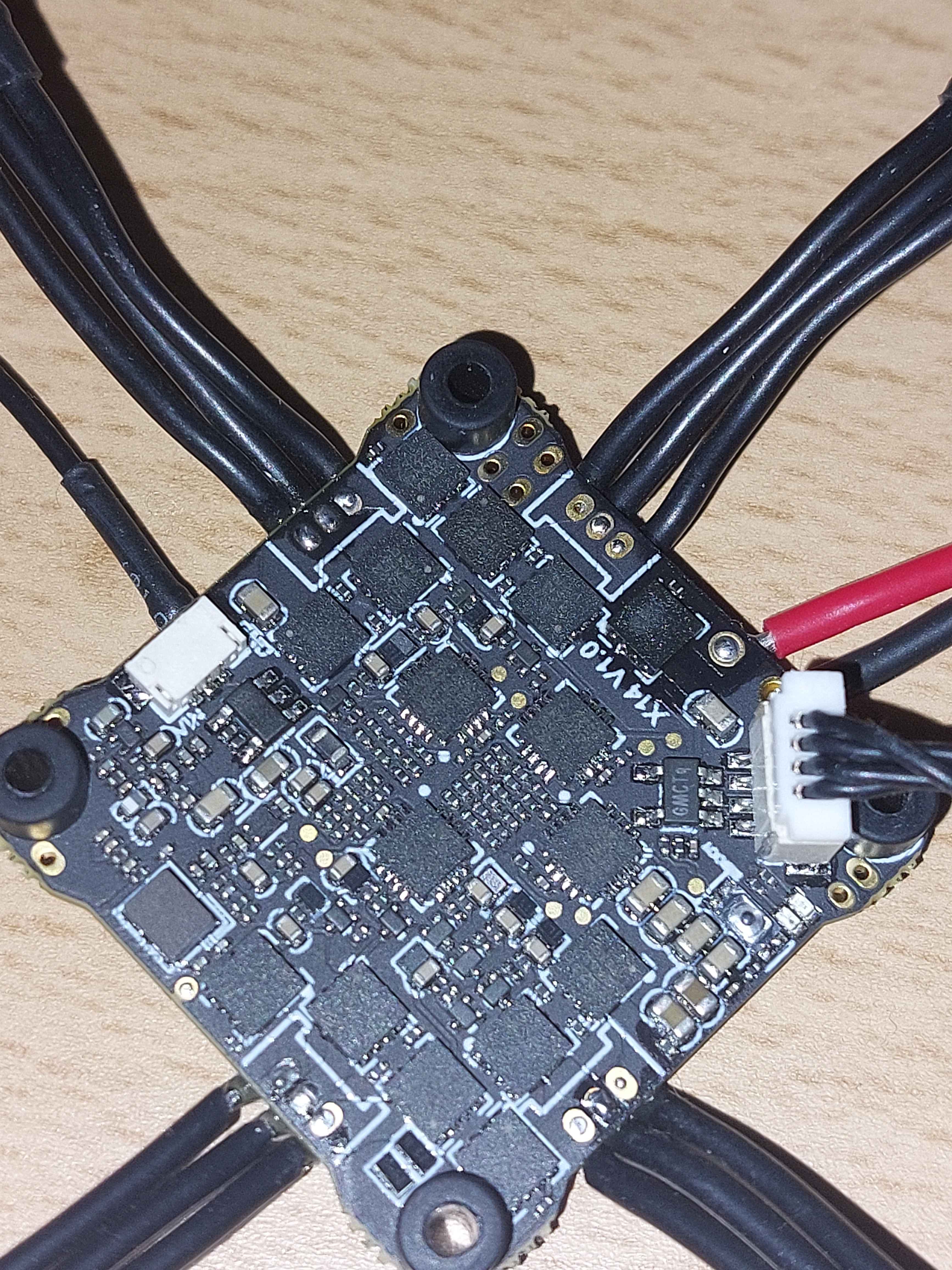
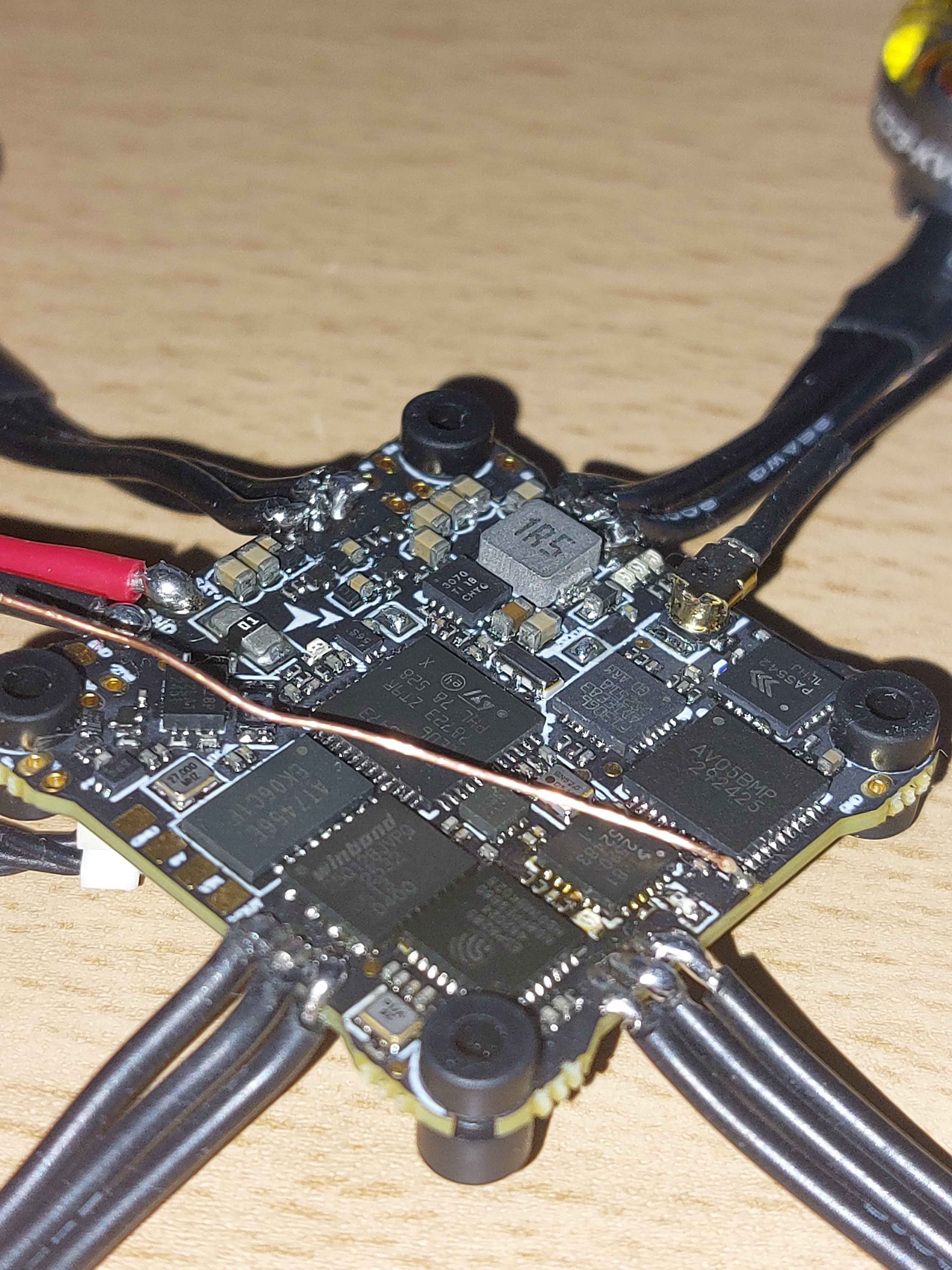
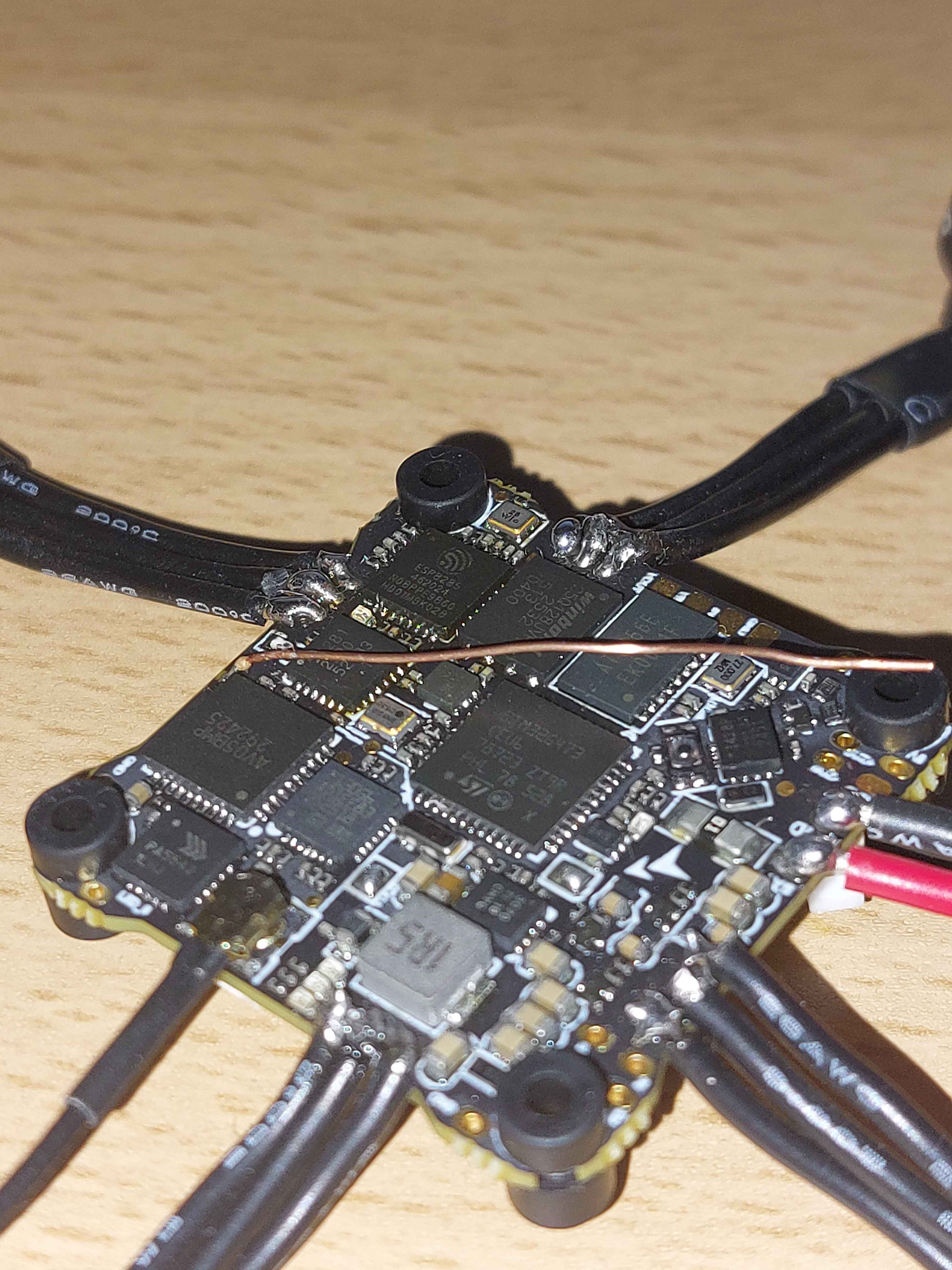
Then also send us the both side of fc with high quality photo, wait for your reply."
Best,
Isel 
Unmanned Tech
Thanks - I’ve uploaded the video and photos in an online drive which I’ve linked below, as for some reason the website thinks I am a new user that cannot use attachments. Apologies for the poor quality video, as my phone camera isn’t the best.
https://drive.proton.me/urls/V0BC71X640#QhWJVAeK68iU