Order Number: 143147
Product Name: Quadcopter 7inch With Fibre Optic
Brand: Unmanned Tech
We have been sold quadcopters where it appears the RCU frequency is different to the drone frequency
We have also been sold fibre optic drones and something is missing to conenct those upto
Little as been provided no support so far and what is written in the RCU manual
We have a bigger order waiitng on this and so far it looks like we will have to take our business elsewhere for the lack of sales support here
Thank you for your email and for outlining the issues you’ve encountered. I appreciate your patience while we review this.
Thanks for your message. Just to confirm, the GX12 Gemini RCU supplied with your order is the dual-band version — it supports both 2.4 GHz and 868/915 MHz operation.
Since the quadcopters we supplied are fitted with 868/915 MHz ExpressLRS receivers, your radio will need to be set to 868 MHz ELRS in order to bind.
How to check and set this in EdgeTX1. Power on the radio normally.
-
Press the SYS/Menu button to open the main menu.
-
Navigate to MODEL SETUP (use the Page button or scroll wheel).
-
Scroll down to the Internal RF section.
-
Set Mode/Protocol to ExpressLRS (CRSF).
-
In the Band/Frequency option, select 868 MHz (EU).
-
Confirm the setting and then follow your receiver’s bind procedure (either pressing the bind button or using the ELRS Lua script).
-
Save and exit the menu.
Firmware compatibility check
If binding still doesn’t succeed after selecting 868 MHz:
-
Both the RCU’s internal module and the receiver need to be running compatible ExpressLRS firmware versions.
-
For example, if the RCU is on ELRS v3.x and the receiver is still on v2.x, they won’t bind until they’re updated to the same major version.
-
Updates can be done via the ExpressLRS Configurator (PC/Mac app) or Wi-Fi update mode on the receivers.
If you’re unsure which band your quadcopter’s receiver is currently set to, please send us a photo of the receiver module or its label, and we can confirm the correct setting for you.
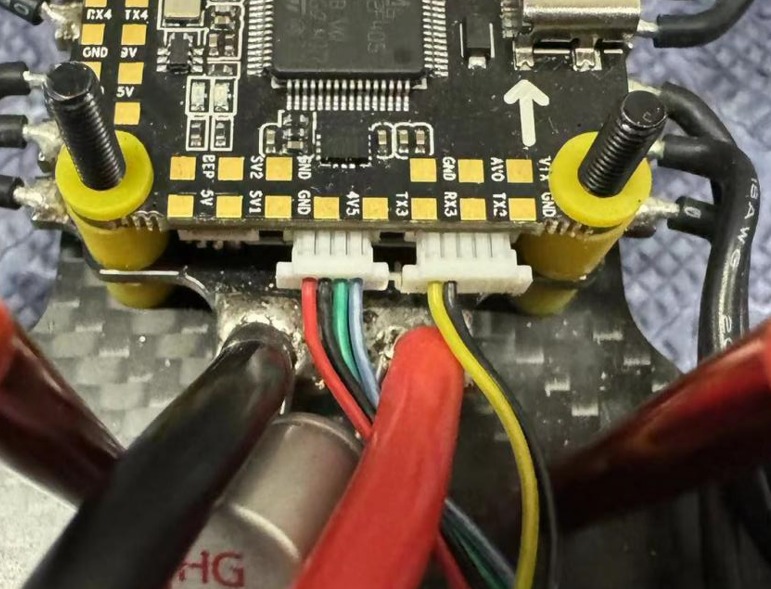
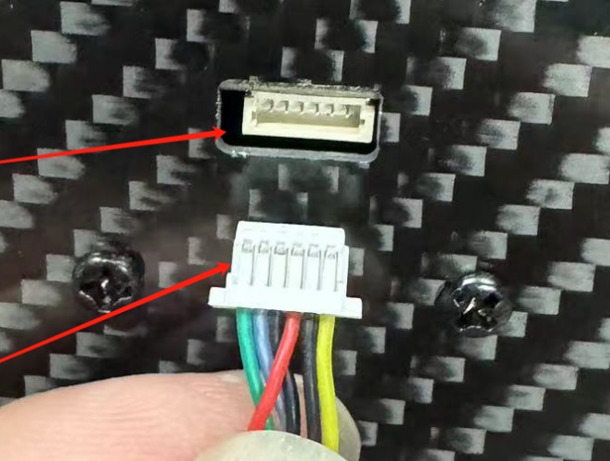
Regarding the fibre optic drone connection: Can you confirm that you are using the 6 pin cable that splits into two smaller JST-SH connectors as per the photo below?