This is a companion topic for our recent blog post on blog.unmanned.tech
Switching your RadioMaster TX16S MK3 from Mode 2 to Mode 1 is not as simple as a casual tap in the menu. Nope, you’ll need to roll up your sleeves for some mechanical adjustments unless you fancy a game of “guess what’s wrong” later. Essentially, you’re relocating the throttle behaviour from the left stick to the right. It’s a two-part operation: first, get those gimbals sorted, then have a little chinwag with the software to ensure it’s playing nice with the new setup.
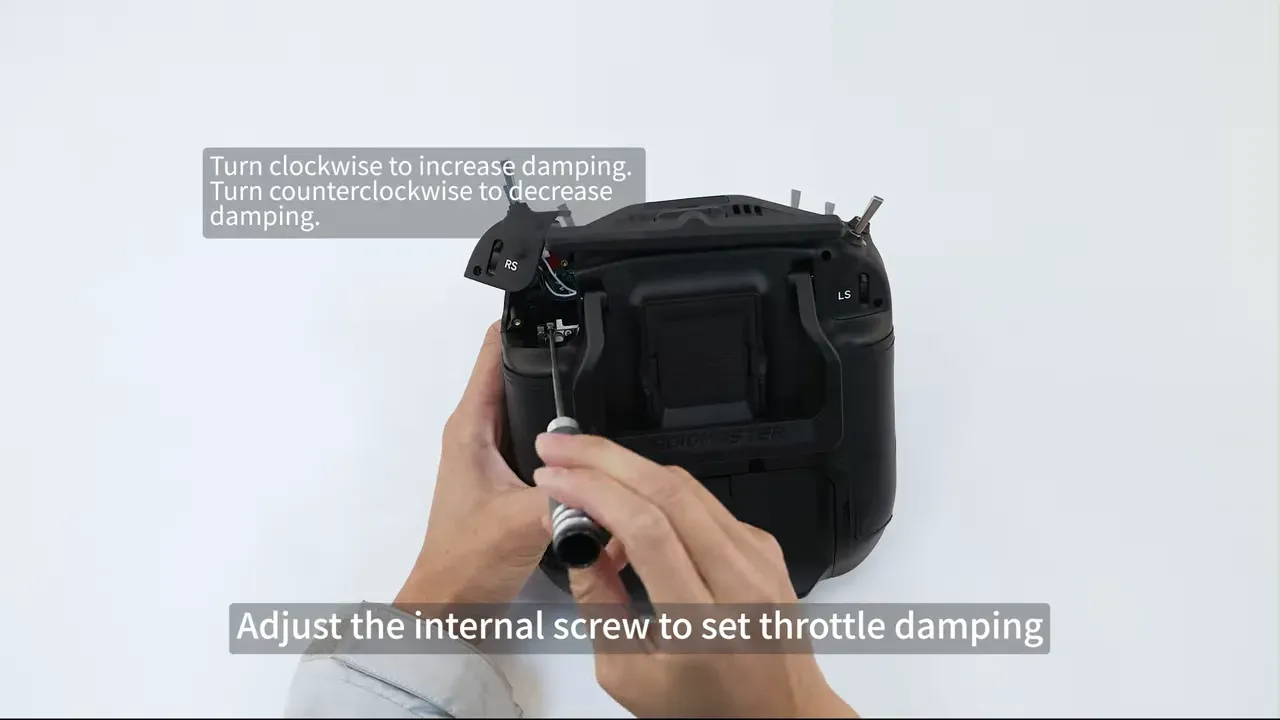
You’ll require a 1.5 mm hex wrench for most of the work, and possibly a screwdriver if your throttle damping isn’t quite right. Remember, a half-baked job is like a dodgy cup of tea—no one wants that. So do it properly. Left stick should regain centring while the right takes on the throttle duties. If either end is out of whack, you might as well strap a brick to your drone—flying around with mismatched controls is bound to lead to an afternoon of frustration.
Finally, don’t forget to confirm both joysticks are behaving as they should post-upgrade. The left needs to spring back to centre, the right should be all about that throttle life, and the radio menu must reflect your hard work. Skipping this step is a surefire way to ruin your day—trust us, no one enjoys crashing their aircraft because they took shortcuts.
For a visual guide, here’s the video link that walks you through the process:
If you’re keen on ensuring your TX16S MK3 is set up just right, it’s worth the effort. After all, life’s too short for poorly tuned radios.
Read the full post over at: