Order Number: UT_15140-WH/OUT/78779
Product Name: T-H7-Fc Tbs Lucid H7 Fc
Brand: Team Black Sheep
Hi this Lucid air H7 flight controller is faulty it starts getting very hot when plugged in. Also the logical switch connected to vbat does not work. When no load is connected it operates normally and outputs vbat however when a load is connected, MY o4 air unit through the dedicated ports on the fc it drops to 1.4v when it should be vat and does not power it on. I have had to tap into a 9v pad to power instead.
Tested that the vbat vsw logical switch does not work under load with a multimeter as it drops to 1.4v when connected to a load. I have also tested the 9v logical switch with functions correctly which means the vsw switch connected to vbat is faulty. I believe this is what may be causing the fc to get very hot which poses as a flight risk.
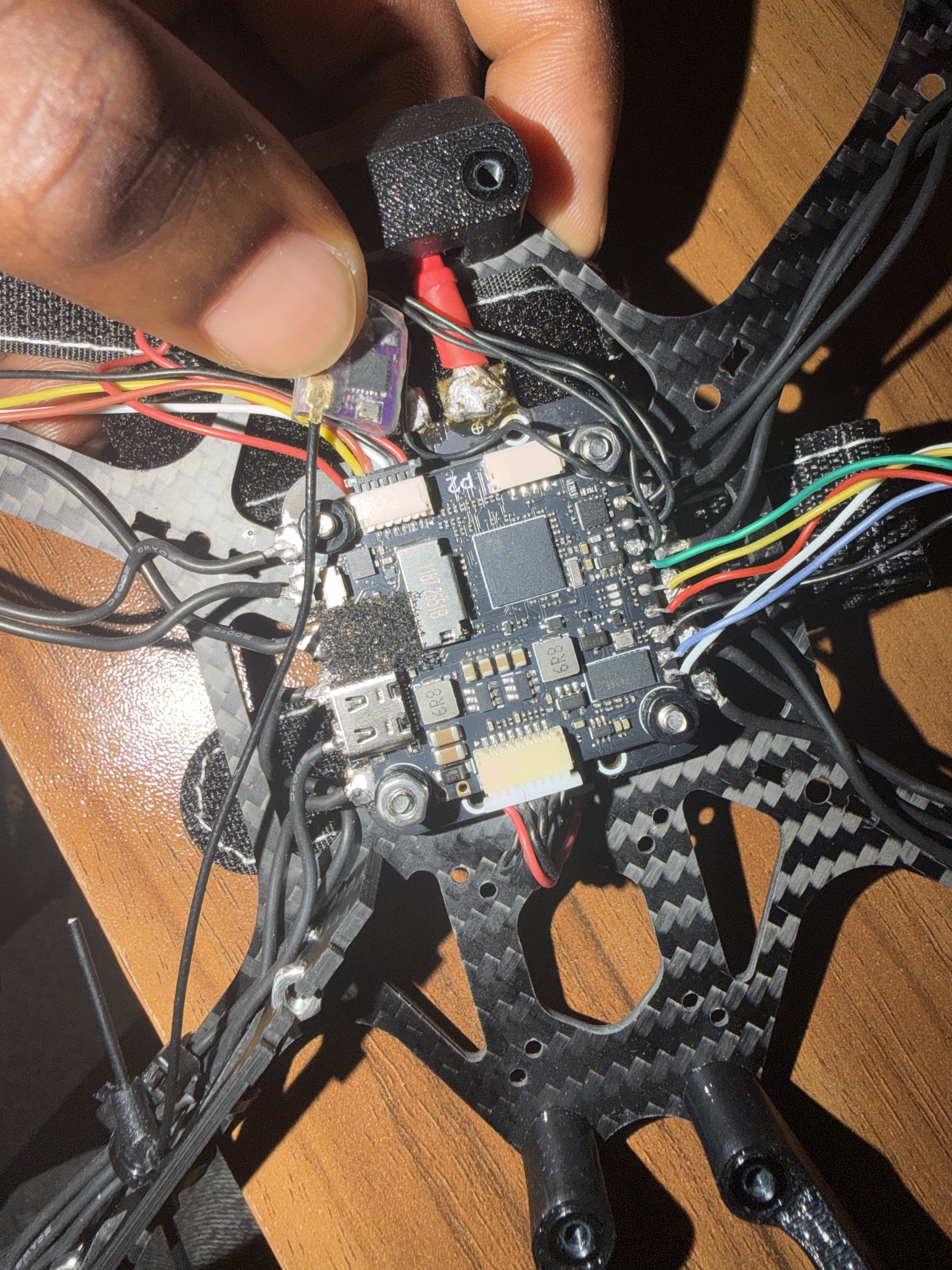
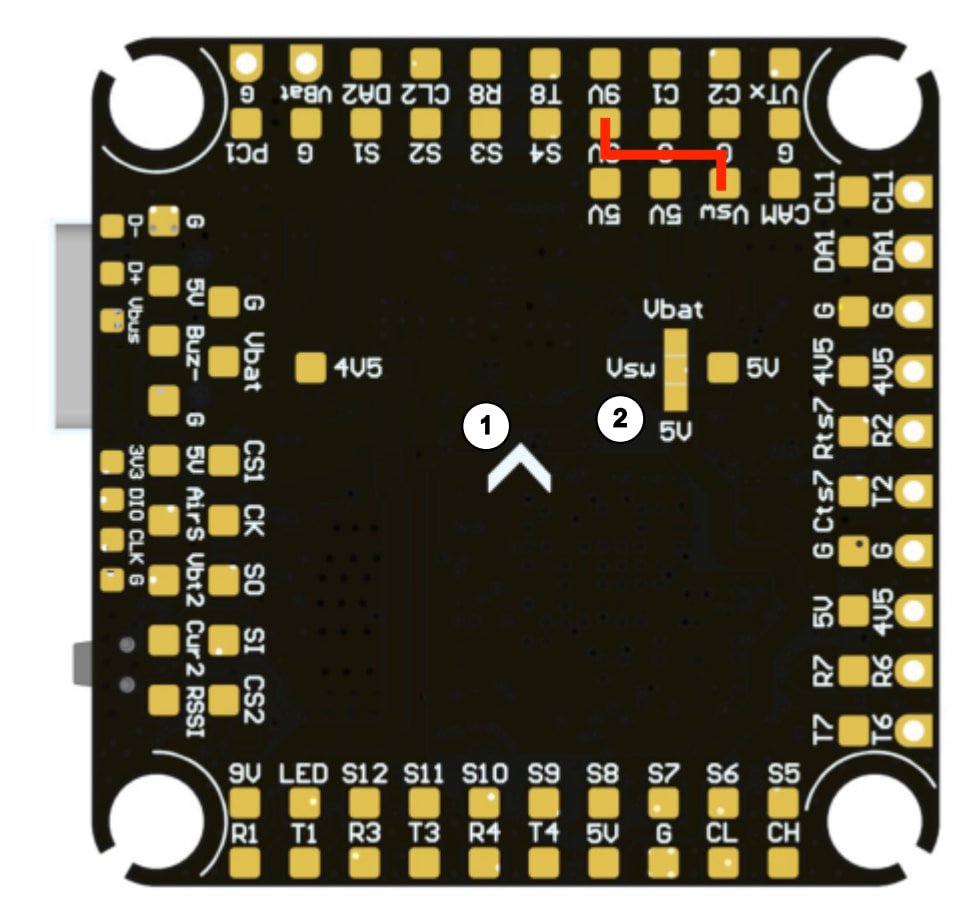
Hi, this is what I’ve had done and has worked. But the over issue I had is that the fc runs very hot for some reason. Within 2 minutes of plugging in it is hot to touch.
Hi David,
Good news — we’ve now located your order (Order #15140, TBS Lucid H7 Stack 8S 60A, purchased 3rd July 2026), so we’re all sorted on the verification front.
Thanks for confirming the VSW wiring workaround is working. Regarding the overheating concern — we want to get to the bottom of this properly.
Some context: The TBS Lucid H7 uses an STM32H743 processor running at 480MHz, which does generate some heat. It’s perfectly normal for the board to feel warm to the touch after a minute or two — the MCU area and BEC regulators will typically reach around 45–55°C, which can feel quite warm against your skin. The silicon itself is rated to operate up to 85°C.
However, if it’s genuinely too hot to keep your finger on for more than a couple of seconds, that’s not normal and could indicate a hardware fault — possibly related to the original VSW issue. Even with the VSW jumpers now disconnected, it’s possible the faulty switching component has sustained damage that causes it to continuously draw excess current and generate heat.
To help us determine whether this is a genuine fault, could you please try the following:
- Test 1 — USB only: Power the FC via USB-C only (no battery, no O4 Air Unit, nothing else connected). If it still gets very hot, this confirms the issue is internal to the board itself.
- Test 2 — Identify the heat source: Carefully feel around the board (or use an infrared thermometer if you have one) to identify where the heat is concentrated — is it the MCU chip area, the BEC/regulator area, or near the VSW pads?
- Test 3 — Check MCU temperature: In Betaflight, go to the CLI and type
status— this will report the MCU temperature. Anything under 70°C is normal; above 80°C is concerning.
What happens next:
- If the board is genuinely overheating (too hot to touch, or MCU temp above 80°C), this would confirm a hardware fault and we’ll arrange a warranty replacement straight away — your order is well within our warranty period.
- If the temperature reads within normal range (45–70°C) and the board is just warm to the touch, that’s expected behaviour for this flight controller.
Please do stop using the FC until we’ve confirmed whether this is safe, as continued overheating could cause further damage.
If you can share a few close-up photos of the board (particularly around the VSW pad area) along with your test results, that would be very helpful for our records.
Best regards,
Unmanned Tech Support