Order Number: 13546
Product Name: Flywoo Flylens 75 Hd O4 2s Bnf
Brand: flywoo
Connects to dji goggles 3 but does not recieve input from rc3 controller paired with goggles.
verified with dji.
connected to beta flight.
No input from controller.
3 hours of reading, googling and gemini.
Thanks for reaching out about your Flywoo Flylens 75 HD O4 — I can see order #13546 on file, purchased on 3rd June.
Sounds like a frustrating 3 hours! The issue you’re describing — video link works but no RC input — is actually a known pattern with DJI O4 setups. The key thing to understand is that the RC signal path goes:
RC3 Controller → Goggles 3 → O4 Air Unit → SBUS wire → Flight Controller
Since your Goggles 3 are connecting successfully (video works), the O4 link is bound — so the issue is likely in how Betaflight is receiving (or not receiving) the SBUS signal from the air unit. Here are the most common causes, in order of likelihood:
1. Betaflight Receiver Protocol — must be SBUS, not CRSF
Go to Betaflight → Receiver tab. Check that:
- Receiver Mode = Serial (via UART)
- Serial Receiver Provider = SBUS (NOT CRSF!)
Many BNF drones ship configured for ExpressLRS (CRSF) by default. If you see CRSF selected, change it to SBUS and click Save and Reboot.
2. sbus_baud_fast mismatch
This is a very common cause of “bound but no input.” The goggles and Betaflight must agree on the SBUS baud rate. Try both:
Option A:
- Goggles: Settings → Control → Protocol → “SBUS Baud Fast”
- Betaflight CLI:
set sbus_baud_fast = ONthensave
Option B:
- Goggles: Settings → Control → Protocol → “Standard”
- Betaflight CLI:
set sbus_baud_fast = OFFthensave
Try Option A first, test, then Option B if no luck.
3. Goggles must be ON during testing
Sounds obvious but it’s the #1 overlooked step — the RC3 doesn’t talk to the drone directly, it goes through the goggles. Make sure the goggles are powered on AND linked (solid green LED on the O4 air unit) when checking the Betaflight receiver tab.
4. Check UART Serial RX assignment
In Betaflight → Ports tab, check that “Serial RX” is enabled on the UART that the O4 SBUS wire connects to (on the GOKU F405 FC, check Flywoo’s wiring diagram for the correct UART). Make sure only one UART has Serial RX enabled.
5. Verify binding sequence was correct
The correct order is:
- First: Bind RC3 to Goggles 3
- Second: Bind Goggles 3 to O4 Air Unit
Also check in the goggles: Settings → Status → Switch → ensure “DJI O4 Air Unit” is selected.
6. Update firmware on all three devices
RC3, Goggles 3, and O4 Air Unit — mismatched firmware is another common cause. The O4 Air Unit must be battery-powered (not just USB) during the update.
Thanks for the reply.
I have checked through each of the above and no joy. One note that may be relevant. I dont have the battery voltage in the head video so I think the ports are wrong given gemini tried to tell me to add rx on uart4 and vtx msp display port on another.
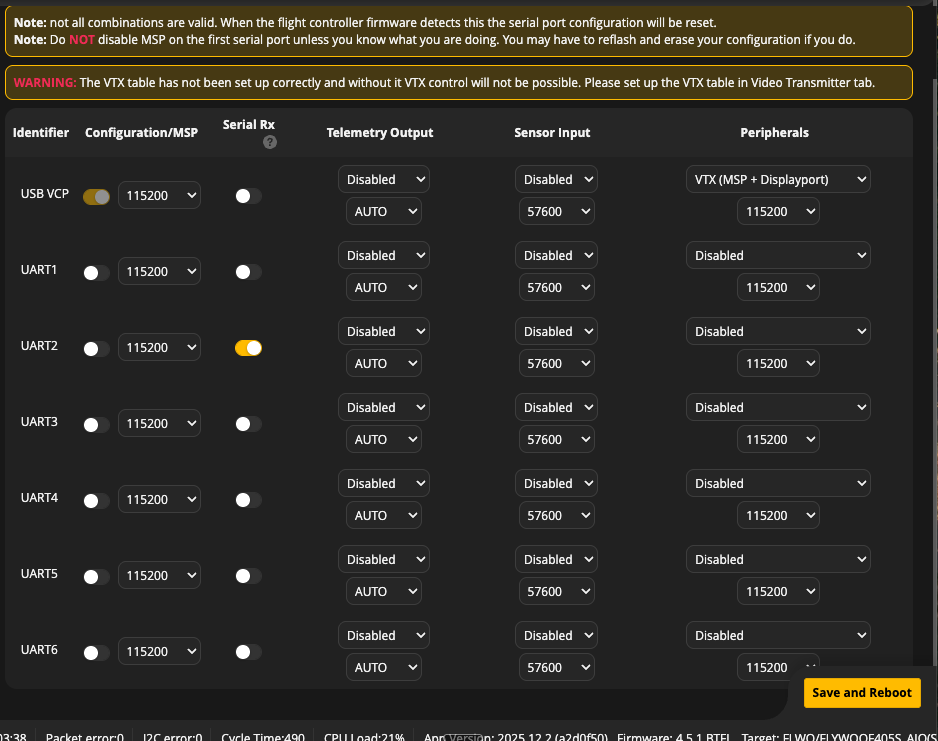
This is what I am currently looking at on Ports
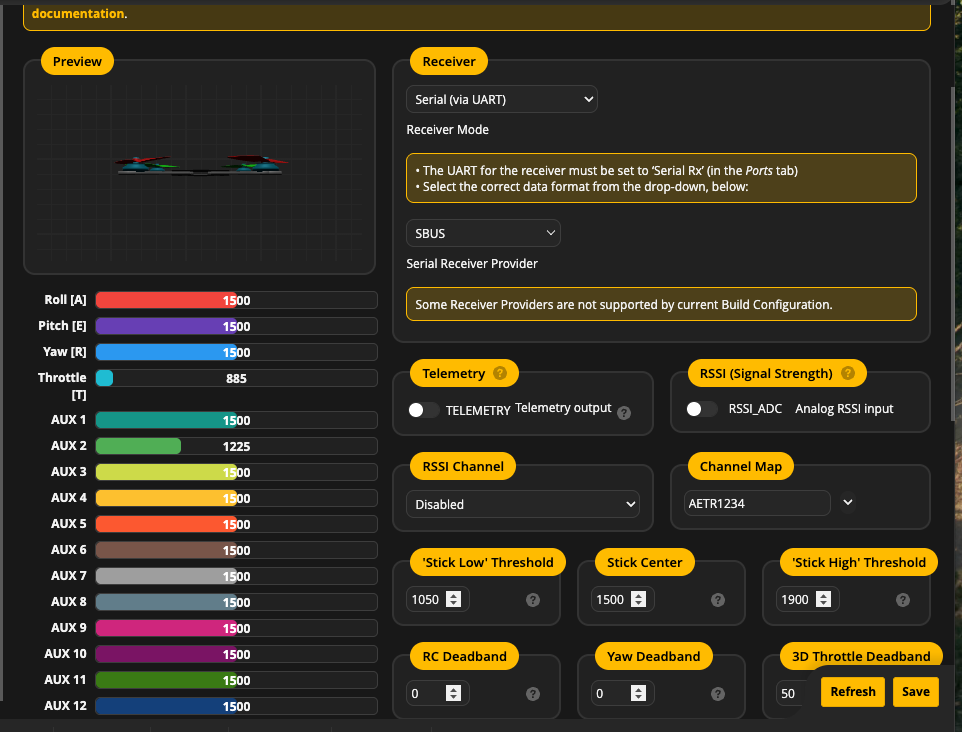
And this is reciever
Not sure if relevant I had Aircraft in low pwer mode in green at the bottom of the video.
Disabled the vtx MSP + Display port on line one as that was left over from gemini and you did not mention it above.
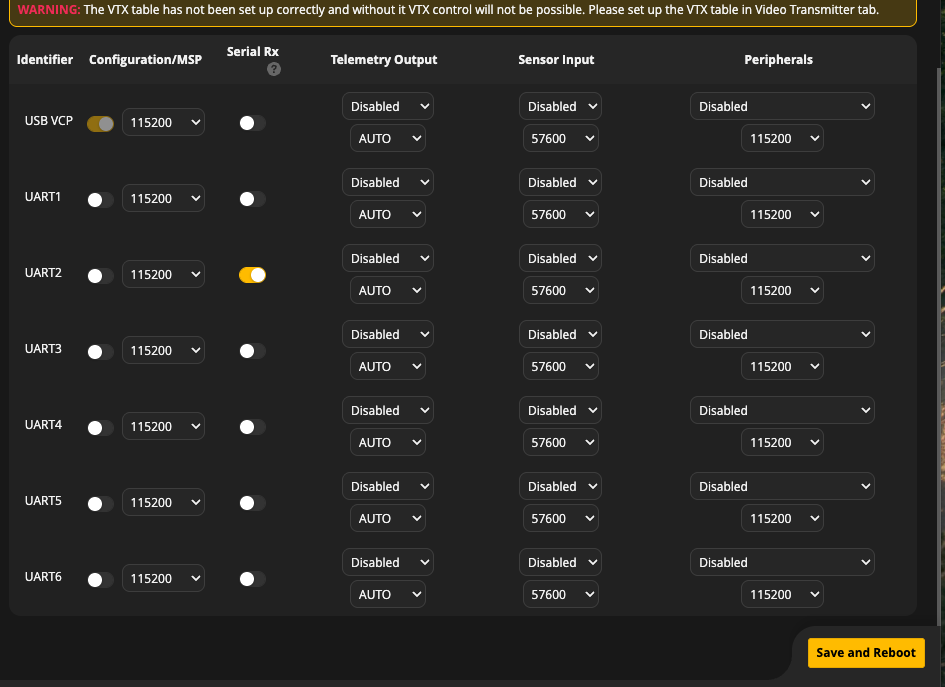
Updated
Thanks in advance
Update I went through and changed the Serial Rx through each of the available 6 and none made a difference.
Update as per email from Retailer I have flashed the board to ubus. I have then cycled through all the RX and Fas usub / standard usub changes again. Sadly no joy.
Update:
I found a youtube video where some one went through the bind steps and the one I had missed out was plugging the dji headset into my phone while connected to the RC 3 and drone. This seemed to trigger an update either for the rc3 or for the drone to accept rc3.
One updated I found the controls were mapped to serial rx on Uart 6.
ODS was also an issue as I couldnt find it on any of the channels. I checked the ODS layout and it was empty. I added the avg voltage to the profile and found vtx (MSP + Display Port) on Uart 6.
I also found I had to remap the rotors and use direction reversed to get it not to flip over.
I think it may all be sorted. I’ll do a first test flight in the morning.
Thank you for your patience with me.
Paul